adsquiz

Financial Stability Quiz

Consultation requests with the client's income, spending and financial goals

About this template

The financial stability quiz helps a financial adviser or planner collect requests from people who are already thinking seriously about their money. In a few questions the visitor shares their employment, income, spending, safety net and financial goals. In return they find out which opportunities to grow their income and reach their goals are open to them, and you get a ready financial profile before the first meeting.

What's inside the template

  • employment status: employee, business owner, student or other
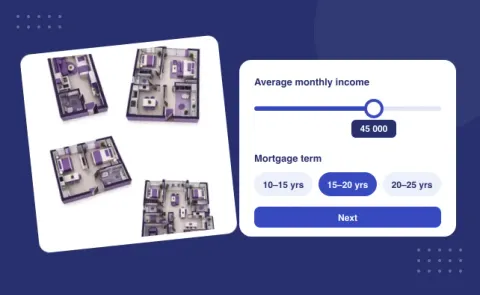
  • average monthly income on a slider
  • income sources with multiple choice: salary, own business, investments, rental income, side job
  • share of income spent each month on a slider
  • emergency fund: from none to more than 12 months of savings
  • financial goals in free text: buying a home, passive income, a safety net, retirement
  • contact form to receive a personal plan

How the quiz works

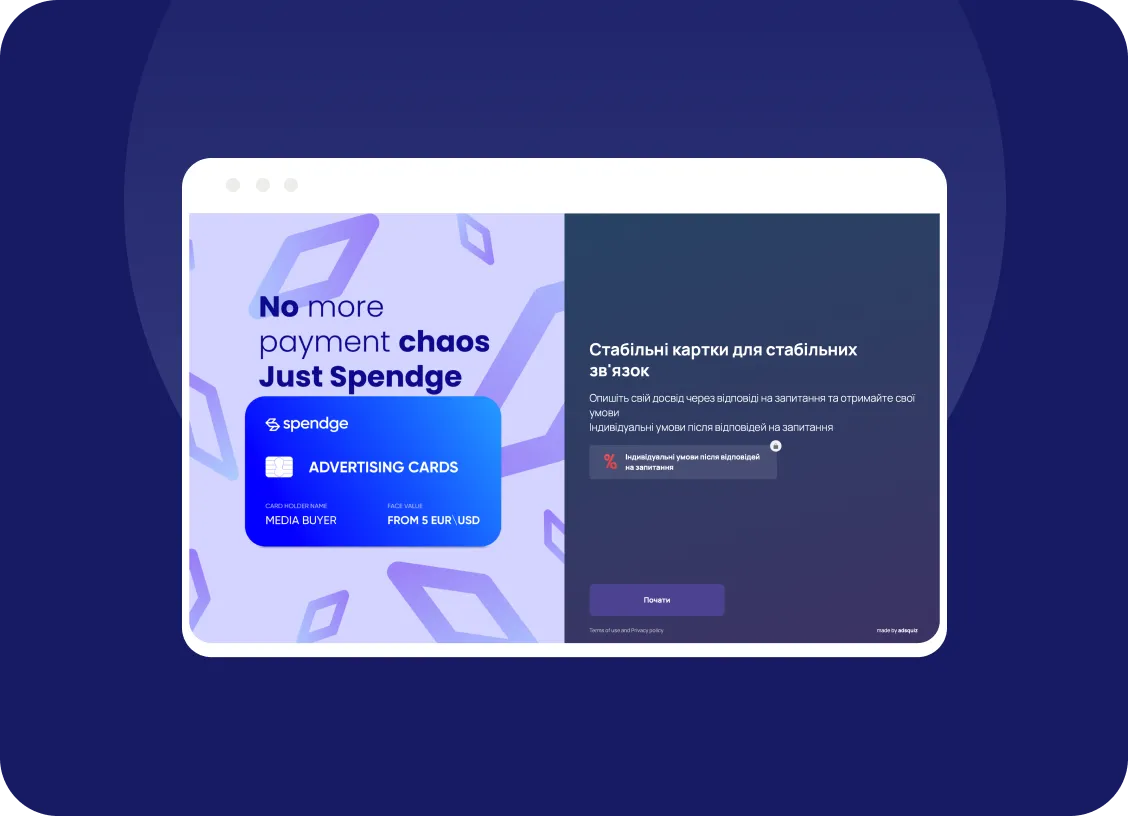
The start screen makes a clear promise: find out which opportunities to grow your income are open to you. The six short questions never ask for exact figures, since income and spending are set with sliders and income sources are picked with a click. The last question lets people describe their goal in their own words, and it tells you best what they will bring to the consultation. After answering, the visitor leaves their contacts and the request with the whole profile comes to you.

Who this template is for

The template suits independent financial advisers and planners, wealth and investment firms, banks and insurers selling savings products, and creators of personal finance courses or money coaching. The answers about the emergency fund and spending share show at once where to start the conversation: the budget, the safety net or investing.

AdsQuiz builder features

  • different question types: lists, photo cards, slider, date and time, input fields, rating
  • logic and branching: different questions for different answers
  • points and result pages for tests and calculators
  • design themes, your own colours, logo and photos
  • custom domain, spam protection and a privacy policy link
  • team access with different roles

Where leads go

Every lead is saved in the built-in AdsQuiz CRM with the answers and UTM tags. Get leads instantly in Telegram, by email, in Google Sheets or in CRMs: KeyCRM, Kommo, Pipedrive, SalesDrive. Other services connect via Zapier, Make or Webhook. For ads, connect Meta Pixel, TikTok Pixel or Google Tag Manager to see which campaigns bring leads.

Launch the quiz in 20 minutes

  1. Sign up for AdsQuiz: your first 100 leads are free.
  2. Pick this template and adapt the texts, photos and bonus to your business.
  3. Choose where leads go: Telegram, email, CRM or Google Sheets.
  4. Publish the quiz as a standalone page or embed it on your website as a block or pop-up, and run your ads.

More ready-made quizzes for this industry in the “Other Services” category.

Tip: Add scoring and a few result pages at the end, such as "stable", "some risks" or "build a safety net first". Visitors get an instant assessment, and you get a natural reason to offer a consultation that fits their situation.

Quiz embed code for a website
Setting up a quiz

To your website

Add the code of our service to your website and collect additional applications without transferring users to third-party resources.

You can install the quiz on your website as:
  • embedded block
  • pop-up
  • chat form
  • side panel
  • interactive hint
  • launch button

Frequently asked questions

What is a quiz and how does it work?

A quiz is an interactive questionnaire or test that helps engage customers and collect contact information. You create a series of questions relevant to your business field, and users answer them. As a result, they receive a personalized response or offer, such as a discount or product selection.

Can I create a quiz without any experience?

Yes, our service is easy to use! With our user-friendly builder, you can create a quiz in 10–15 minutes, even without prior experience. We also offer ready-made templates for various businesses.

Can I integrate the quiz with a CRM or other platforms?

Yes, our service supports integration with popular CRMs, email services, chatbots, and other tools. You can automatically collect contacts, send messages, or set up a sales funnel.

How much does it cost to use your service?

We offer several pricing plans suitable for small businesses and large companies. There is also a free plan to try out all the basic features. You can review the pricing plans here.

Will I get a discount if I pay annually instead of monthly?

Yes, by paying annually, you get a discount! This is more cost-effective than monthly payments. Annual plans allow you to save up to 20%, depending on the package you choose. You can check the pricing plans and discounts here.

Can I embed the quiz on my website?

Yes, of course! You can easily embed the quiz on your website. After creating the quiz, you will have access to a unique embed code (iFrame) or a link. Simply copy the code and add it to the desired section of your website. Learn more here.

You can use

AdsQuiz in advertising

Facebook Pixel
Facebook pixel
Google Analytics
Google Analytics
Facebook Conversions API
ApiX-Drive
APIxDrive
Google Tag Manager
Google Tag Manager
Google Sheets
Google Sheets
Zapier
Zapier
KommoCRM
Kommo
Make
Make
Mailchimp
Mailchimp
Webhook
Webhook
KeyCRM
Pipedrive
Email
SendPulse
SendPulse
Telegram
Telegram
TikTok Pixel
TikTok Pixel

Why advisers get to know new clients through AdsQuiz

In advisory work, the first conversation is often spent simply understanding where the client stands. A quiz takes over that part: people answer at their own pace, whenever it suits them, with no pressure. Many find it easier than describing their finances to a stranger over the phone. You, in turn, arrive at the first meeting already knowing what to talk about.

The builder lets you turn a questionnaire into something genuinely useful for the client. With scoring, each answer adds a set number of points, and at the end the visitor sees a result that matches their total. Sliders, multiple-choice cards and text fields are added without a developer. The design follows your brand, so the quiz feels like a natural part of your website.

Every answer is stored in the built-in CRM along with contact details and the traffic source. New requests trigger a notification in Telegram or by e-mail, and contacts can be added automatically to a SendPulse list so you can send helpful material to people who are not ready to meet yet. That way no potential client disappears after the first touch. When they are ready, they will already know you and trust your expertise.

The quiz also shows what your audience cares about and which ad channels bring your best clients. You can see the question where people drop off and make the questionnaire shorter or clearer. These insights help you target ads more precisely and waste less on the wrong audience. AdsQuiz lets you start with 100 free leads, so there is nothing to lose.