BLACK FRIDAY-40%on any yearly plan. Offer valid until the end of NovemberTime left 
adsquiz

Quiz for a florist

About this template

A quiz for florists is an ideal marketing tool that can help florists attract new clients and quickly bring their preferences to life.

Floral compositions can vary greatly, but with the help of a quiz, you can easily determine which bouquet to offer to a customer.

We have a ready-made template for you, consisting of 5 questions. Find out for which event the person needs a bouquet, which flowers they prefer, whether they want to add a card to the order, what delivery conditions suit them, and more. You can modify the number of questions or adapt existing ones.

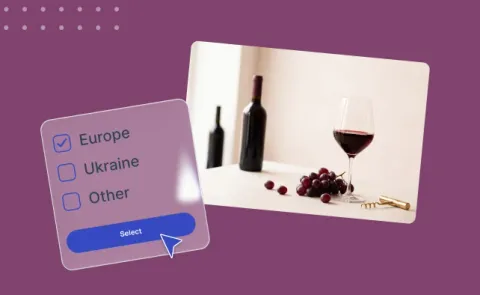
Note that for each quiz question, one or several answers can be anticipated. In the question about types of flowers, it is appropriate to allow the person to specify multiple choices.

Motivate the person with a bonus for completing your quiz: offer a discount or free delivery, provide a complimentary service like bouquet arrangement. This will increase your chances of securing an order.

You can conclude the florist quiz with a thank-you page, including links to your social media, or set up a redirect directly to your website.

Create your quiz, and if you have any questions, feel free to contact the live chat support on our website.

AdsQuiz builder features

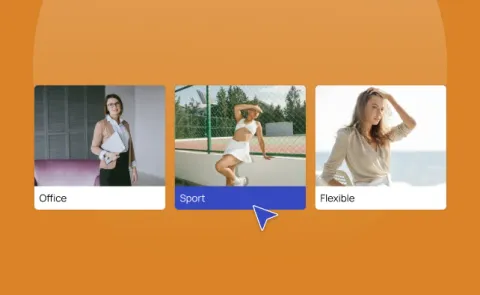
  • different question types: lists, photo cards, slider, date and time, input fields, rating
  • logic and branching: different questions for different answers
  • points and result pages for tests and calculators
  • design themes, your own colours, logo and photos
  • custom domain, spam protection and a privacy policy link
  • team access with different roles

Where leads go

Every lead is saved in the built-in AdsQuiz CRM with the answers and UTM tags. Get leads instantly by email, in Google Sheets or in CRMs: KeyCRM, Kommo, Pipedrive, SalesDrive. Other services connect via Zapier, Make or Webhook. For ads, connect Meta Pixel, TikTok Pixel or Google Tag Manager to see which campaigns bring leads.

Launch the quiz in 20 minutes

  1. Sign up for AdsQuiz: your first 100 leads are free.
  2. Pick this template and adapt the texts, photos and bonus to your business.
  3. Choose where leads go: email, CRM or Google Sheets.
  4. Publish the quiz as a standalone page or embed it on your website as a block or pop-up, and run your ads.

More ready-made quizzes for this industry in the “eCommerce” category.

Quiz embed code for a website
Setting up a quiz

To your website

Add the code of our service to your website and collect additional applications without transferring users to third-party resources.

You can install the quiz on your website as:
  • embedded block
  • pop-up
  • chat form
  • side panel
  • interactive hint
  • launch button

Frequently asked questions

What is a quiz and how does it work?

A quiz is an interactive questionnaire or test that helps engage customers and collect contact information. You create a series of questions relevant to your business field, and users answer them. As a result, they receive a personalized response or offer, such as a discount or product selection.

Can I create a quiz without any experience?

Yes, our service is easy to use! With our user-friendly builder, you can create a quiz in 10–15 minutes, even without prior experience. We also offer ready-made templates for various businesses.

Can I integrate the quiz with a CRM or other platforms?

Yes, our service supports integration with popular CRMs, email services, chatbots, and other tools. You can automatically collect contacts, send messages, or set up a sales funnel.

How much does it cost to use your service?

We offer several pricing plans suitable for small businesses and large companies. There is also a free plan to try out all the basic features. You can review the pricing plans here.

Will I get a discount if I pay annually instead of monthly?

Yes, by paying annually, you get a discount! This is more cost-effective than monthly payments. Annual plans allow you to save up to 20%, depending on the package you choose. You can check the pricing plans and discounts here.

Can I embed the quiz on my website?

Yes, of course! You can easily embed the quiz on your website. After creating the quiz, you will have access to a unique embed code (iFrame) or a link. Simply copy the code and add it to the desired section of your website. Learn more here.

You can use

AdsQuiz in advertising

Facebook Pixel
Facebook pixel
Google Analytics
Google Analytics
Facebook Conversions API
ApiX-Drive
APIxDrive
Google Tag Manager
Google Tag Manager
Google Sheets
Google Sheets
Zapier
Zapier
KommoCRM
Kommo
Make
Make
Mailchimp
Mailchimp
Webhook
Webhook
KeyCRM
Pipedrive
Email
SendPulse
SendPulse
Telegram
Telegram
TikTok Pixel
TikTok Pixel
ChatGPT Pixel
ChatGPT Pixel

Small business, no tech team needed

You do not need a marketing department to run a smart lead funnel. AdsQuiz was built so that a business owner can create a quiz alone in about twenty minutes. Templates provide the structure, and a visual editor lets you change texts, images and options with a few clicks. There is no code to write and no developer to hire. You stay in full control of how your business presents itself.

Automation takes care of the routine that usually eats into your day. With Zapier or Make, each new lead can be added to a spreadsheet, a CRM or a to-do list without you touching it. E-mail notifications tell you instantly when someone has filled in the quiz. You can respond quickly even when you are busy with clients. A one-person business can feel as responsive as a large company.

Costs stay manageable because you pay only for results. The first 100 leads are free, and after that the price depends on how many leads you receive, as shown on the pricing page. You can create as many quizzes as you need without paying extra for each one. All integrations and design options are included from the start. There are no surprise fees as your business grows.

Getting help is rarely necessary, but the knowledge base explains every feature step by step. You can learn how to place the quiz on your website or share it as a standalone link in your social profiles. Each article is short and practical, so you get back to work quickly. Over time, you can add more advanced features at your own pace. The tool grows with your skills and your ambitions.