
Telegram Bot
Setting up the Telegram integration in an AdsQuiz quiz
The Telegram integration in AdsQuiz sends new quiz requests straight to Telegram. It's a convenient way to keep track of leads and respond quickly to potential clients.
Once set up, all new requests will arrive automatically in the Telegram bot or in a separate group created for a specific project.
Why connect Telegram to a quiz
With the Telegram integration in AdsQuiz you can:
• get notifications about new requests instantly;
• keep track of all leads right in Telegram;
• create separate groups for different projects;
• give the whole team access to requests.
⚙️ How to connect Telegram to an AdsQuiz quiz
Step 1. Open the integration settings
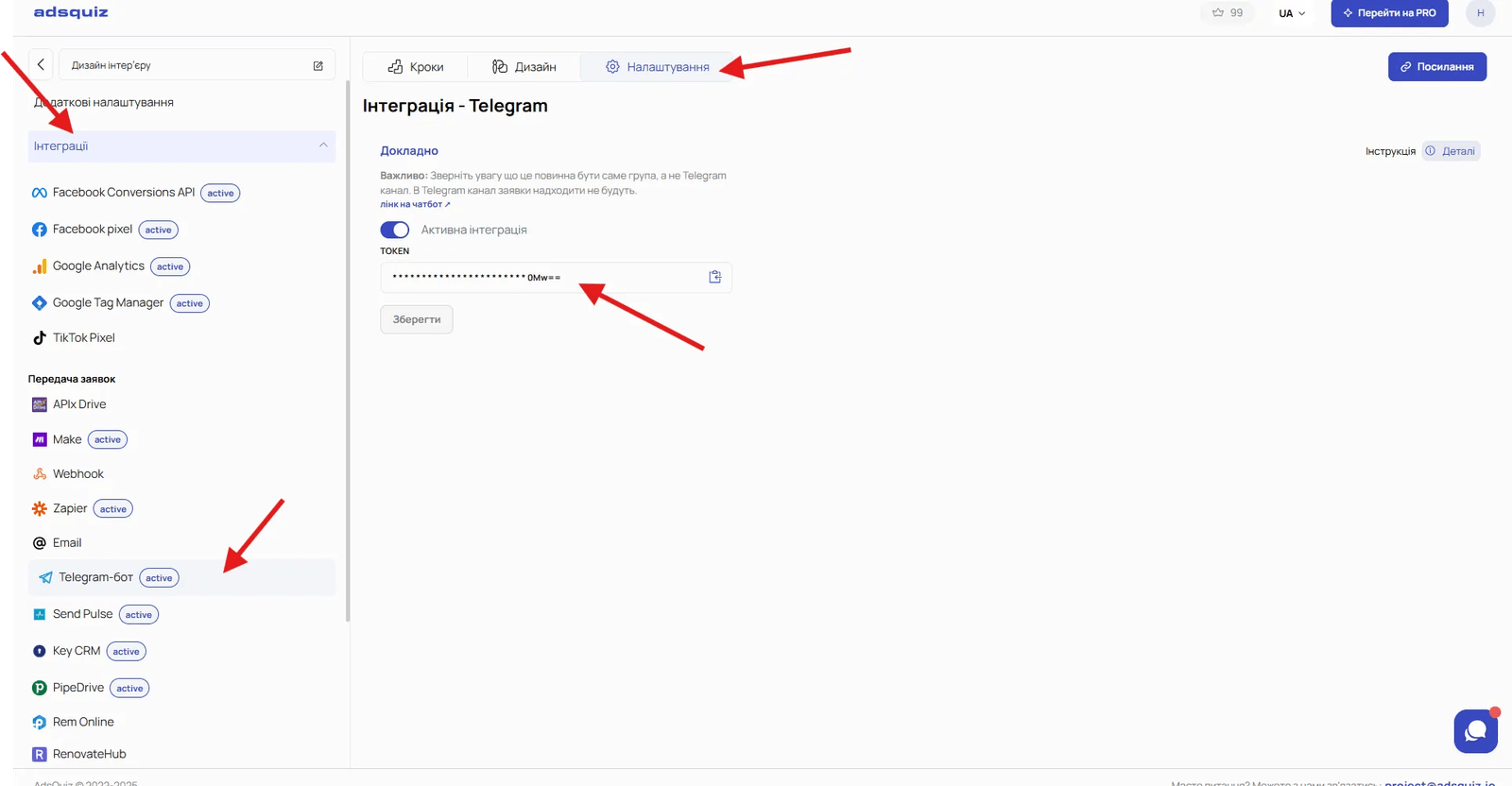
Go to: Quiz settings → Integrations → Telegram.
Step 2. Copy the quiz token
In the Telegram section, copy your quiz token.
Step 3. Send the token to the Telegram bot
Open the Telegram bot @leads_adsquiz_bot and paste the copied token into the chat.
Once connected, the bot will send a message:
OK! Your quiz token was saved!
The integration will then be active and new requests will start arriving in Telegram.
👥 How to receive requests in a Telegram group
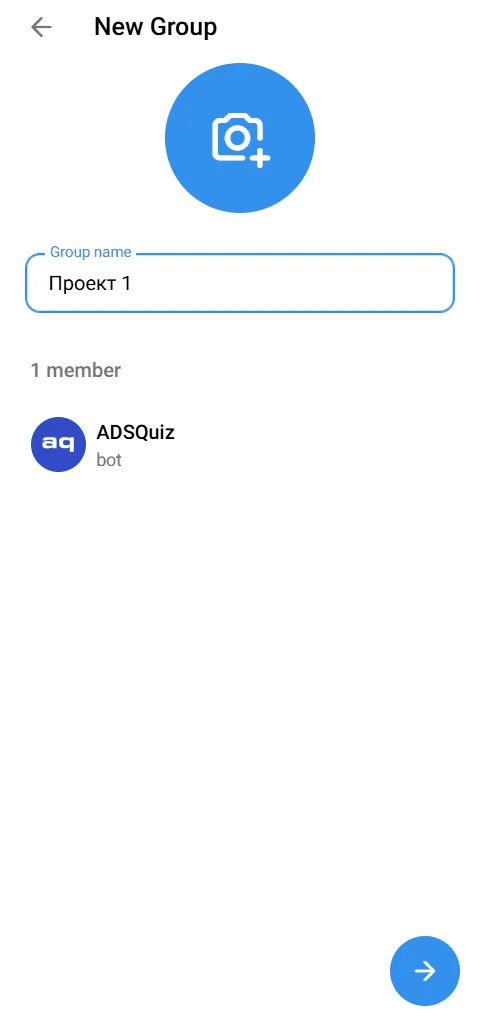
Step 1. Create a new group
We recommend creating a separate Telegram group for each project.
Step 2. Add the bot to the group
Add the Telegram bot to the group you created @leads_adsquiz_bot
.
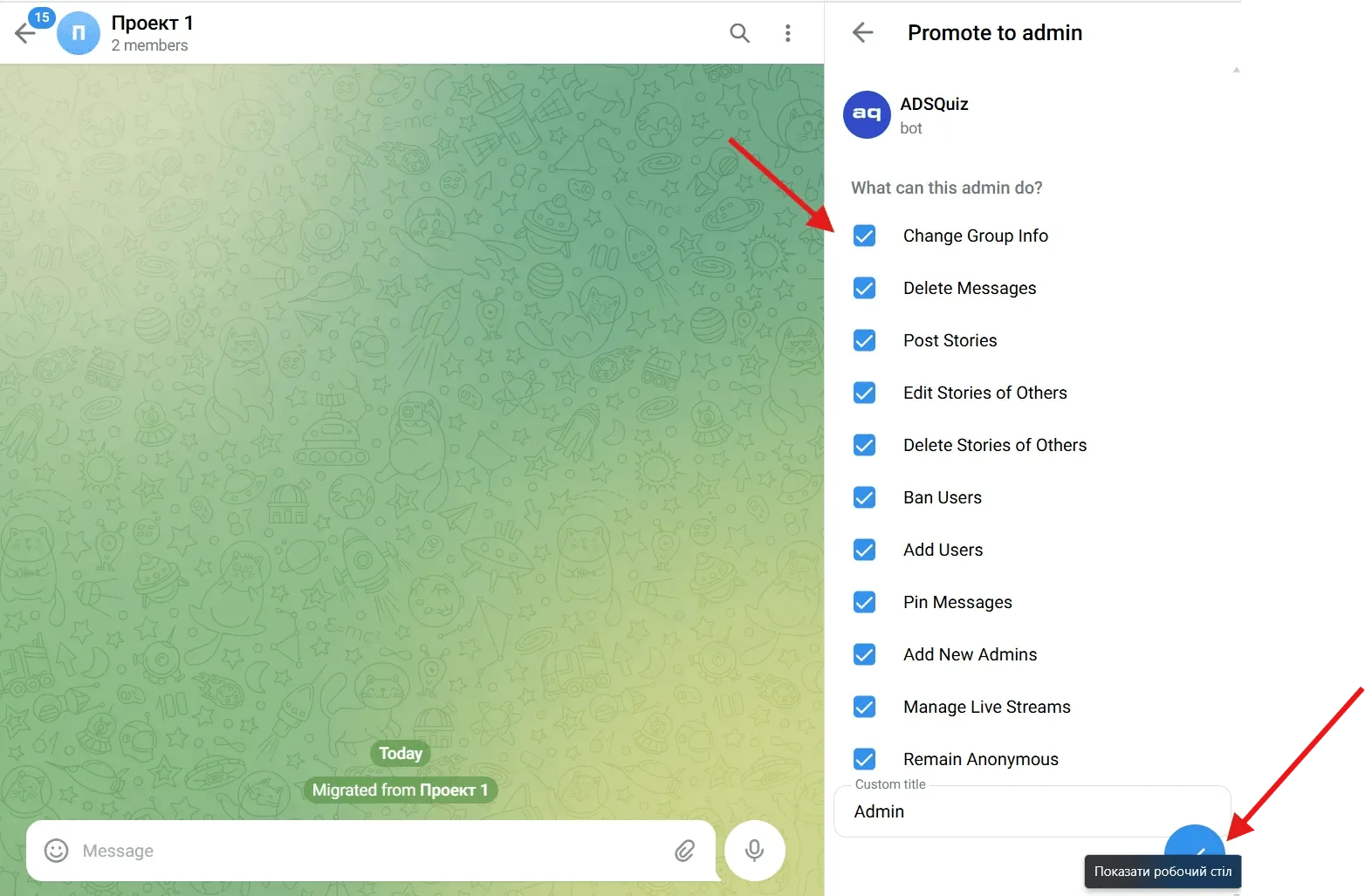
Step 3. Give the bot administrator rights
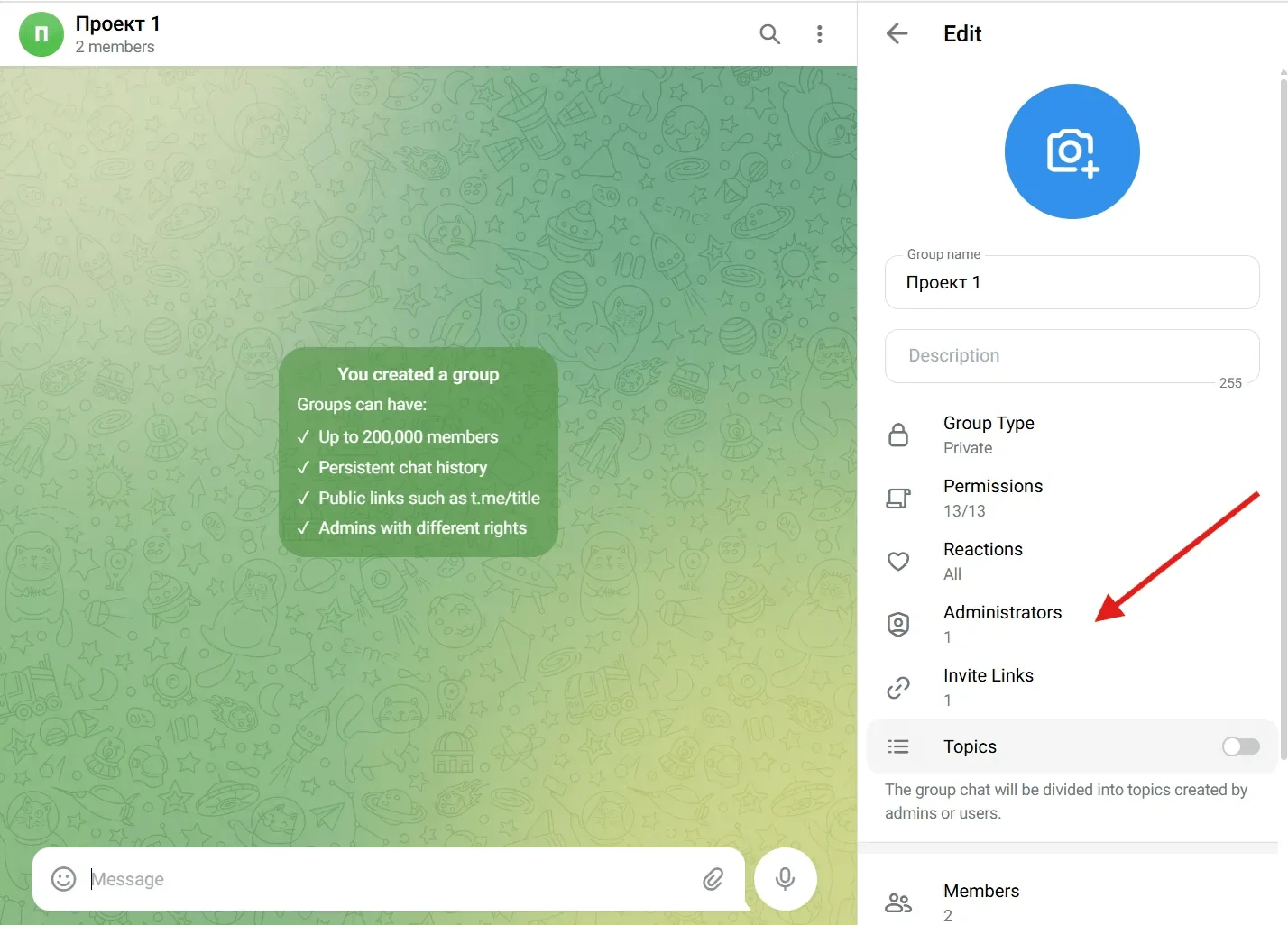
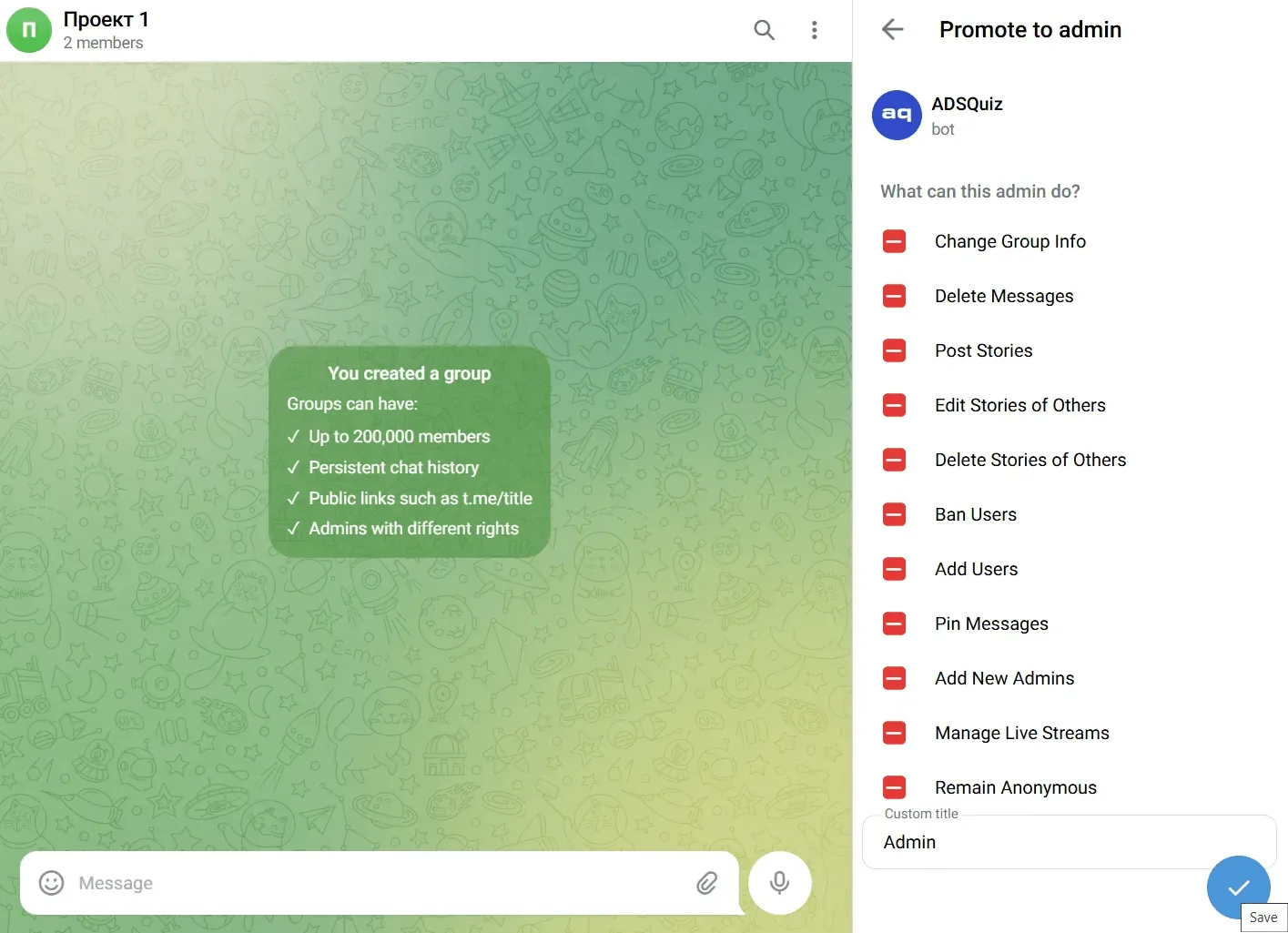
Open the group settings and give the bot administrator rights:
Edit → Administrators → Add Administrator → choose @leads_adsquiz_bot
Step 4. Copy the quiz token
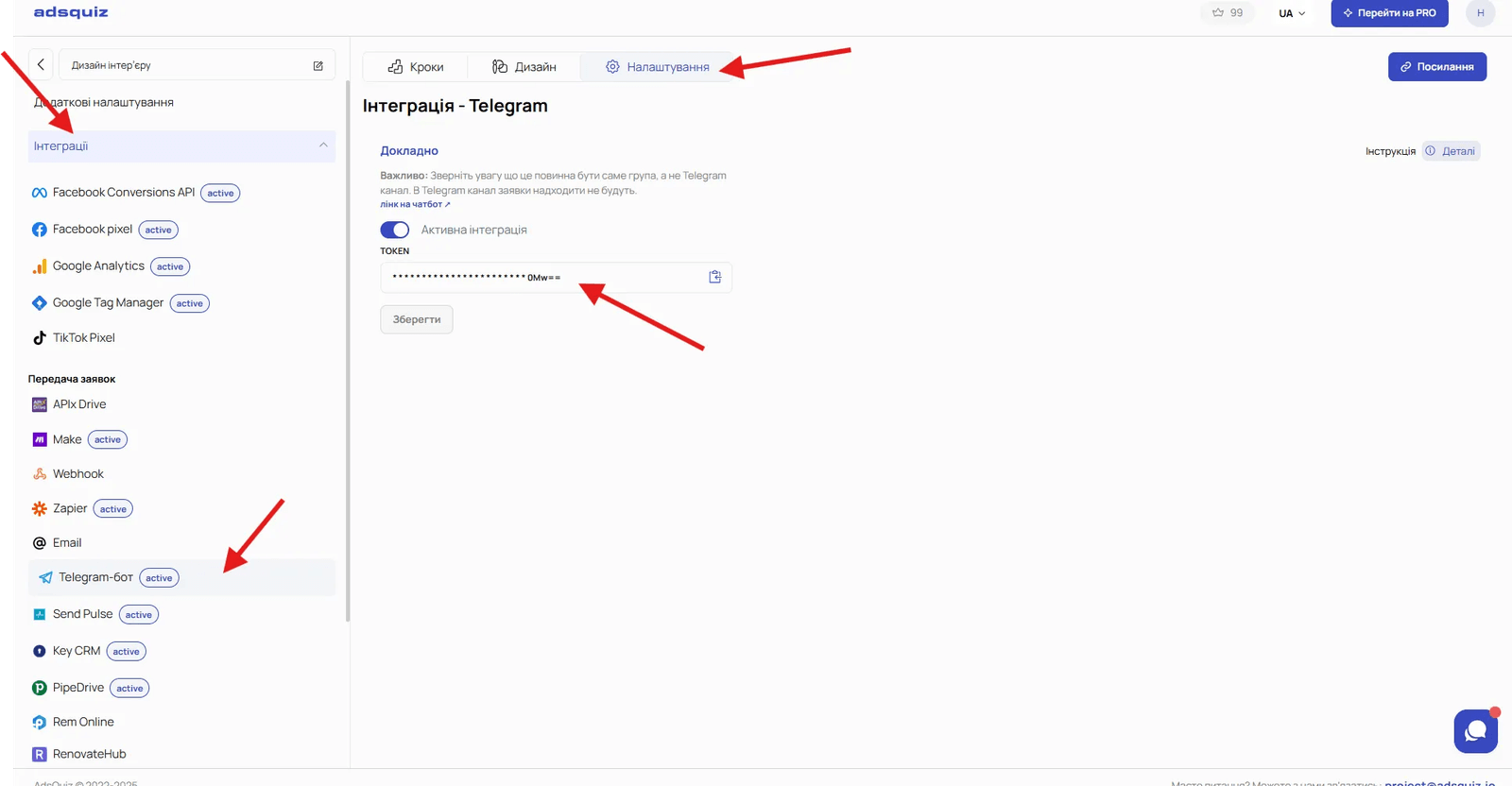
Go to: Quiz settings → Integrations → Telegram and copy your quiz token.
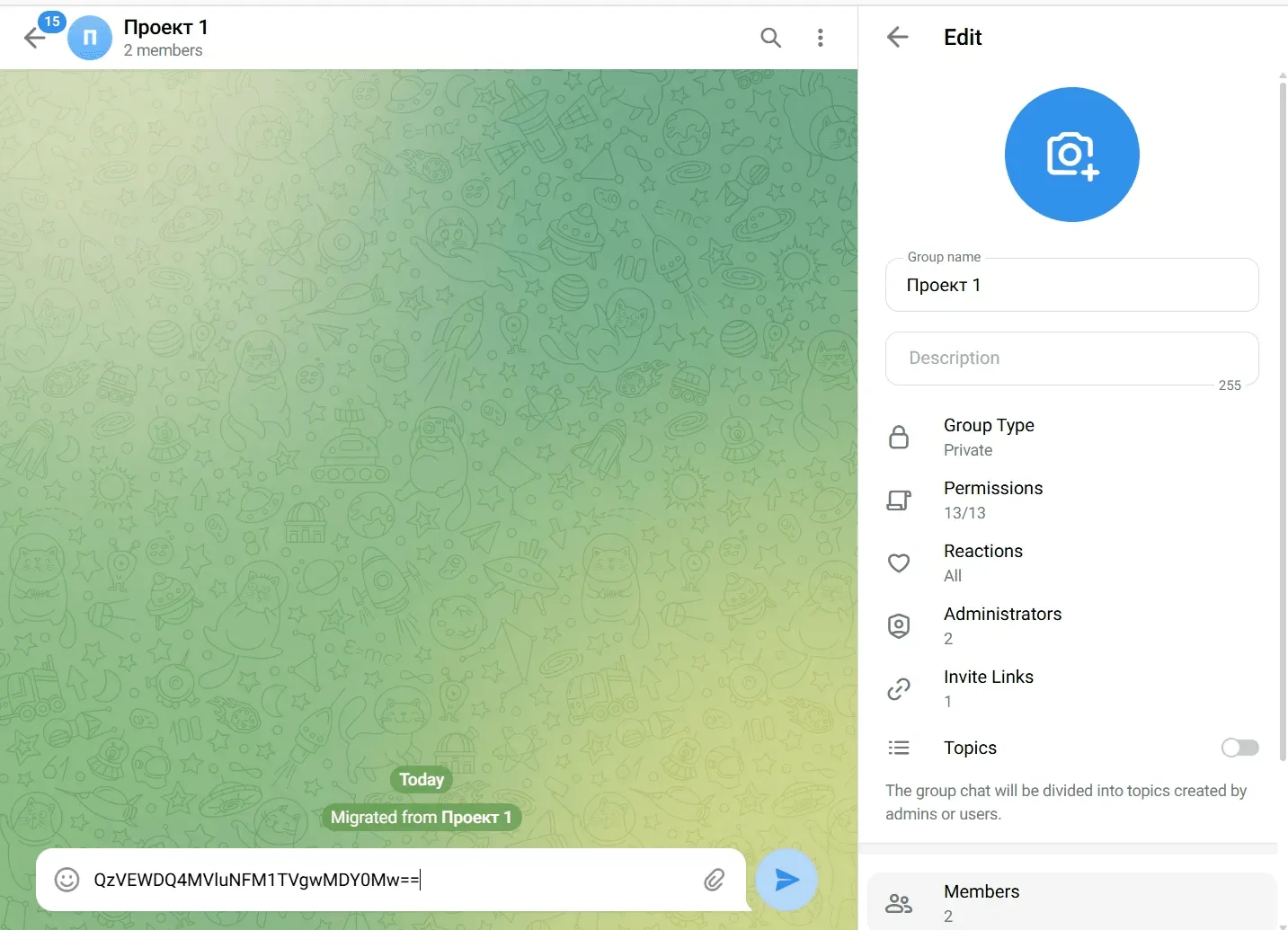
Step 5. Send the token to the group
Paste the copied token into the chat of the group you created.
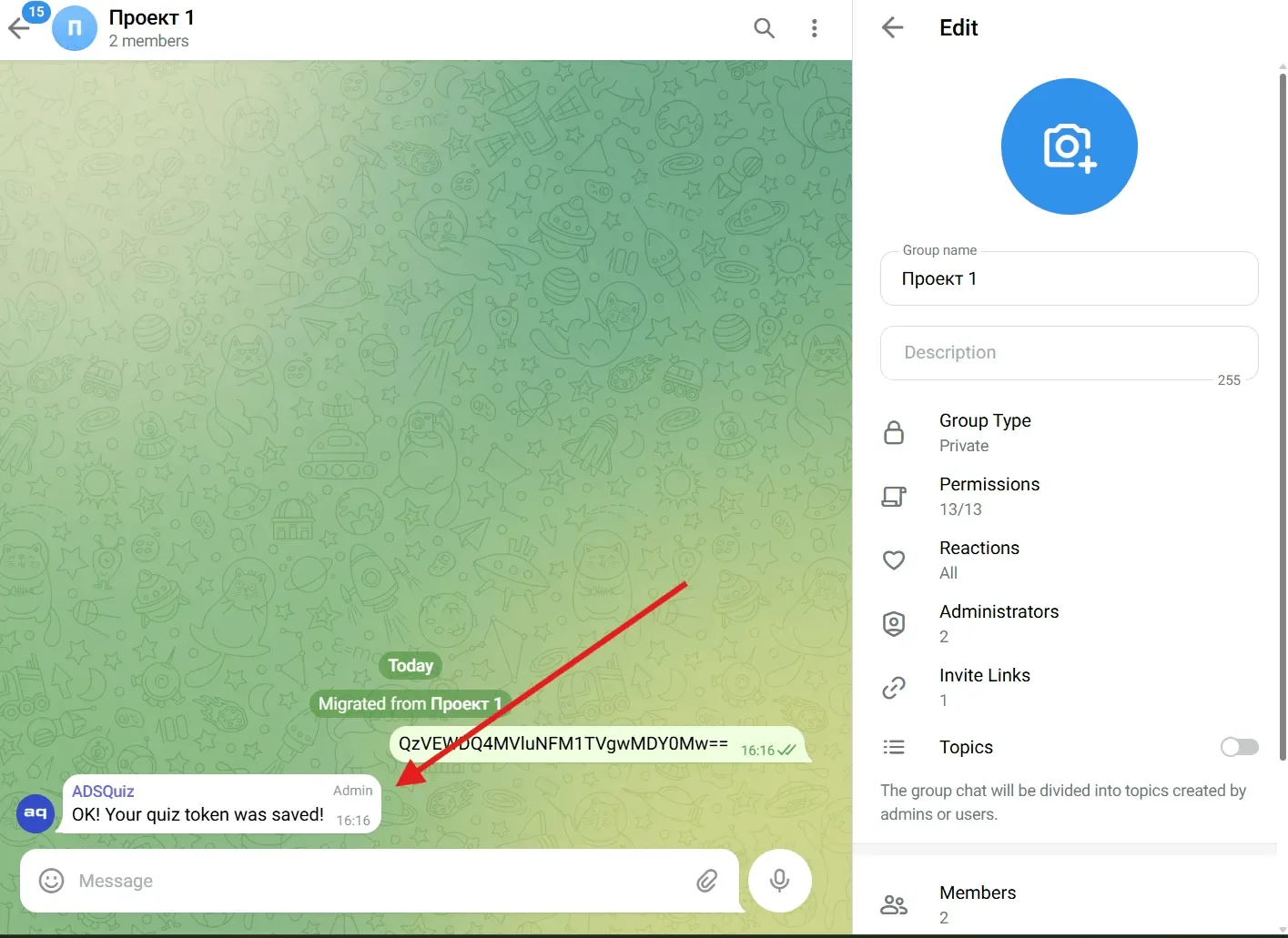
Wait for the bot's message:
OK! Your quiz token was saved!
Now all new quiz requests will arrive in this Telegram group automatically.
💡 Tip If you work with several quizzes, create a separate group for each project. This helps avoid confusion and makes the team's work easier.
❓ Frequently asked questions
Can I use one group for several quizzes?
Yes. Just add the tokens of those quizzes to the Telegram group
What if requests don't arrive?
Make sure the bot was added to the group, has administrator rights, and that the quiz token was sent without mistakes. If the problem persists, contact AdsQuiz support.