
Design Theme for Quiz
Quiz Design Theme
Ready-made design themes in AdsQuiz are a set of pre-built visual styles for your quiz. Each theme comes with a carefully selected combination of colors, fonts, and overall aesthetic – so you don’t need to configure the design from scratch. It’s the fastest way to make your quiz look polished and ready to launch.
🎨 How to Choose a Design Theme for Your Quiz: Step-by-Step Guide
Follow this guide and your quiz design will be ready in just a few minutes – no technical knowledge needed.
⚙️ Step 1. Go to the “Design” Section
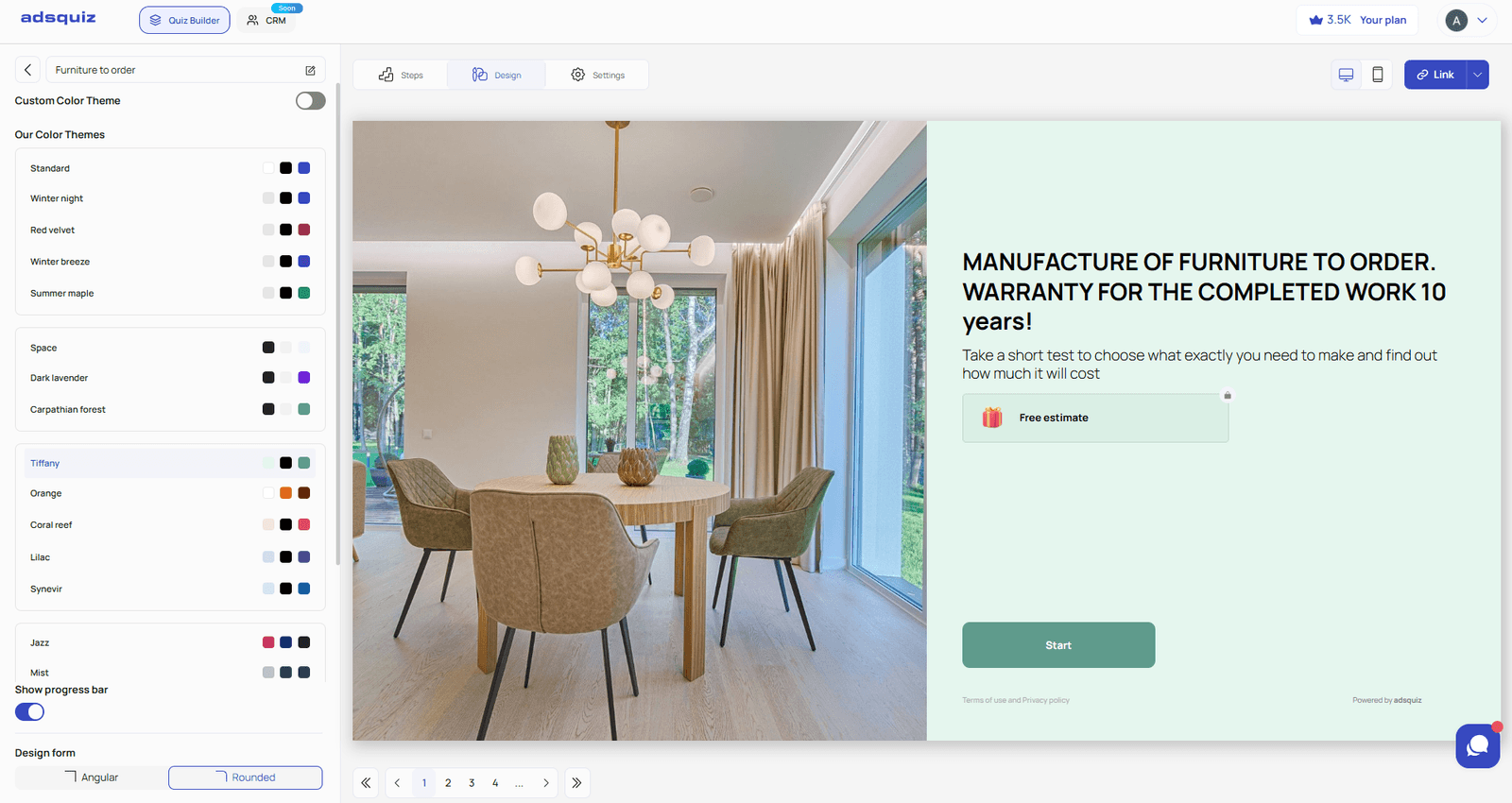
Open the quiz editor in AdsQuiz and navigate to the “Design” tab. This is where all available ready-made design themes are displayed.
⚙️ Step 2. Choose a Ready-Made Design Theme
The Design section offers a selection of pre-built themes with thoughtfully crafted visuals. Click on any theme and the quiz will update instantly in the builder preview. This lets you quickly compare several options and choose the one that best fits your product or audience.
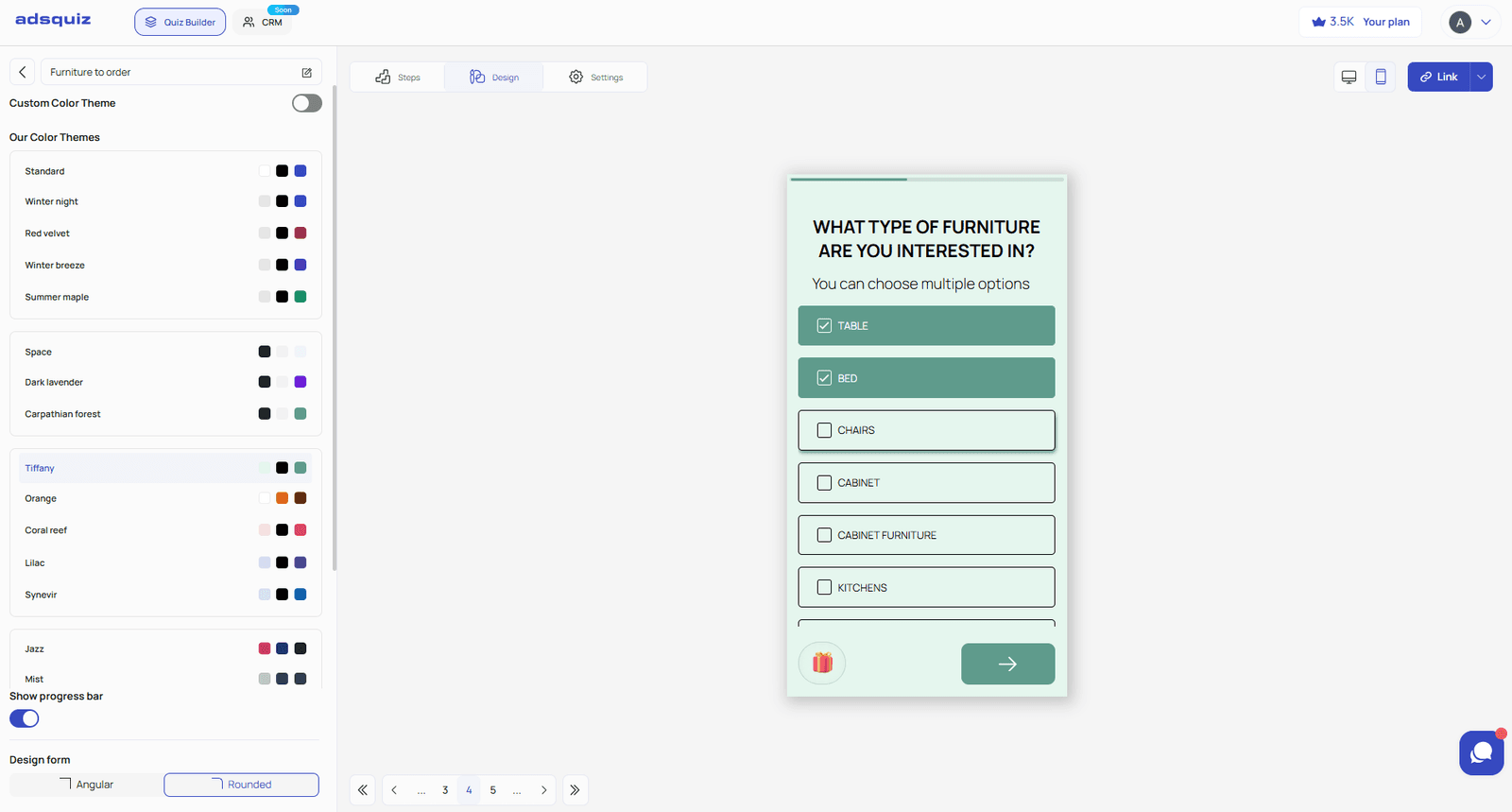
💡 Tip: Browse themes in mobile preview mode – most users complete quizzes on their phones.
⚙️ Step 3. Save Your Settings
Once you’ve chosen a theme, click “Save.” Check how the quiz looks on mobile devices before publishing.
💡 Tip: If you’re running the quiz alongside ad campaigns, make sure the quiz design matches your ad creatives. A consistent visual style builds user trust and reduces the drop-off rate on the first screen.
🎨 Quiz Progress Bar
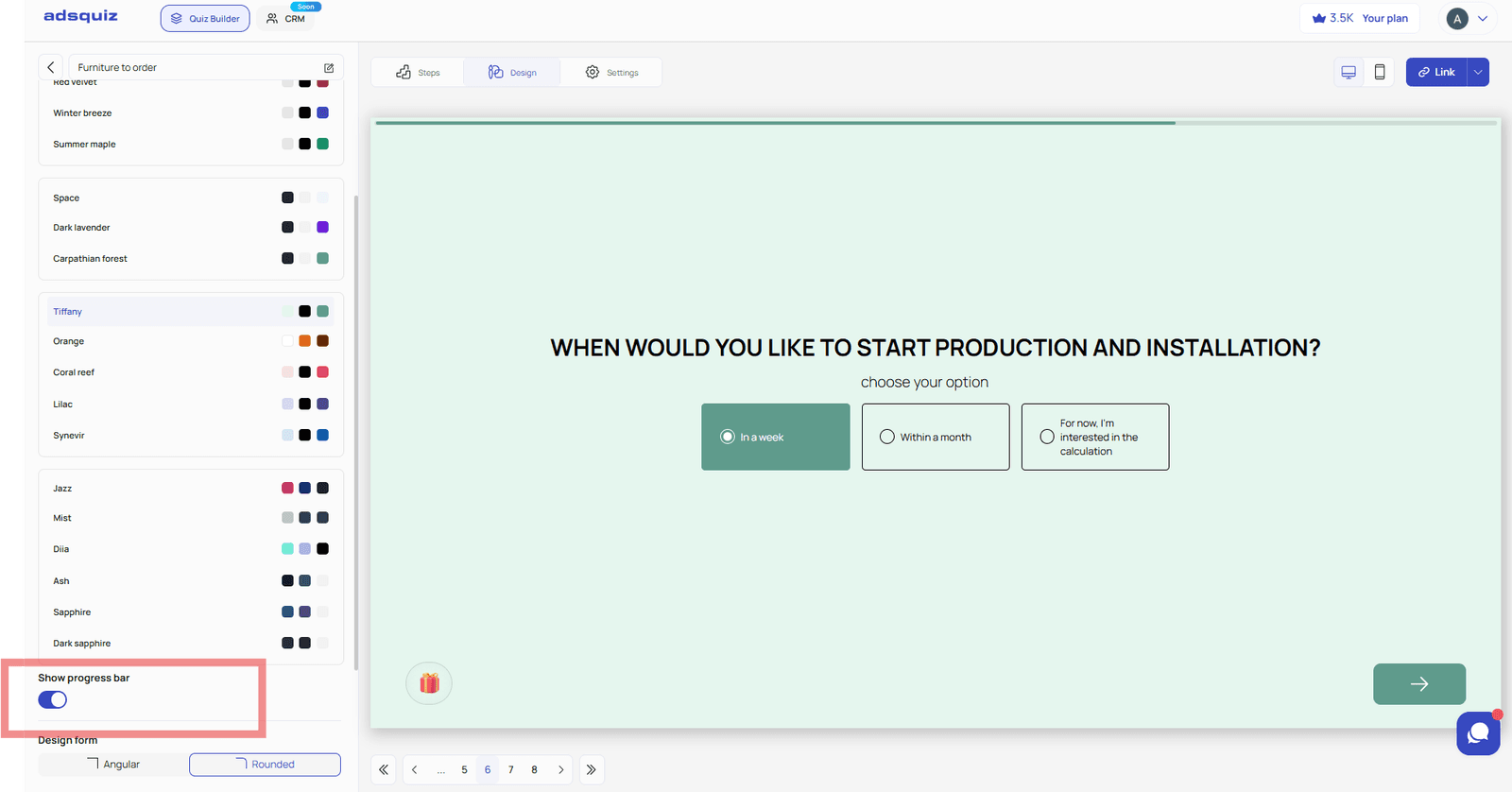
In the “Design” section, you can also control the visibility of the progress bar – the indicator that shows users how many questions are left until the quiz is complete. You can enable the progress bar to motivate users to reach the end, or disable it if you prefer a minimalist look without extra UI elements.
❓ Frequently Asked Questions
Can I change the theme after publishing the quiz?
Yes. The design can be changed at any time in the “Design” section. Changes apply immediately after saving.
Does changing the design affect collected leads?
No. Collected leads are stored independently of any design changes made to the quiz.
What if none of the ready-made themes fit my brand?
Select “Custom color scheme” and configure the palette manually to match your brand. Learn more: Color Scheme Settings